






Key takeaways
-
What it is: OpenAI has launched Business Hub (beta), a business profile for ChatGPT. You can claim your business, manage your details, and see mentions, website clicks and discovery topics, which makes ChatGPT the first AI platform to share click data.
-
Why it matters for local: What you submit can shape how ChatGPT describes and recommends your business, and you can now report on ChatGPT visibility directly.
-
Who can claim it: Local stores and restaurants can currently claim only an existing US listing. Online businesses can claim wherever ChatGPT is available.
-
What to do now: Go to chatgpt.com/business-hub, search for your business, verify your claim, then complete the identity check to edit your profile.
Finally, one of the AIs is being transparent about click data! Not only that, but ChatGPT is launching a brand new business profile, called ‘Business Hub ’, to let businesses tell it all about themselves.
So what is ChatGPT’s Business Hub, and why does it matter so much to local businesses?
What is ChatGPT Business Hub?
OpenAI has launched Business Hub, which is essentially their version of Google Business Profile, with a little Search Console sprinkled in.
Currently, Business Hub is in Beta, but a business can claim their profile, then manage their information, and see insights about their business. These insights include:
- Mentions
- Website clicks
- Discovery topics
Just like with Google Business Profile, you’ll be able to give Business Hub information about your business, like opening hours, description, and category (sounds familiar, huh). In addition to that, you’ll be able to add products and, in the US, have an agent answer questions about your business.
Right now it’s not available for all local businesses, but it is available to local stores and restaurants with an existing U.S. listing. And this is a great way to tell ChatGPT what you want it to know about your business.
Why have they launched this?
ChatGPT says it has launched Business Hub to “create more ways for businesses to connect with people as they explore options and make decisions”. Essentially, though, Google has been implementing strict anti-scraping measures against ChatGPT (and other LLMs). This has driven OpenAI to start making their own index, and this feels like the next stop along that road.
If OpenAI can get businesses to create their own profiles and provide data in this way, they won’t need to scrape it from elsewhere. It means that businesses now have a great way to control how ChatGPT sees and understands their business, and a way to measure clicks!

"I would expect other LLMs to follow quickly"
Myles Anderson, Co-founder and CEO at BrightLocal
This is a really positive step for local businesses. Until now, ChatGPT has built its picture of a business from your website, Yelp profiles, and data aggregators and directories; some of these are sources most business owners have limited visibility of and almost no control over. Business Hub changes that. You can directly influence what ChatGPT knows about you and what you offer, and build an agent to help you interact with customers. And for the first time, an AI platform is openly telling you how customers see you and interact with you on their platform.
It’s early, and for local stores and restaurants it’s US-only for now, so plenty of businesses will have to wait. But the direction is clear, and I’d expect Perplexity, Grok, and Anthropic to follow quickly.
Why ChatGPT Business Hub matters for local businesses
Our study earlier in the year found that ChatGPT and other generative AI tools rose from 6% to 45% as a source of local business recommendations for consumers over the year.
There are two reasons why this matters specifically for local businesses:
- You can tell ChatGPT specific information about your business, which will affect recommendations and local searches.
- You can finally report on data from ChatGPT by seeing mentions and click data directly from it.
Our recent study found that Google used Google Business Profile as a source for almost every business it returned in AI Overviews and AI Mode. In comparison, ChatGPT used Yelp, directories, and company websites.
There’s a high chance that ChatGPT will start using Business Hub as its dominant source of business information, replacing Yelp.
In the US, they’re also launching Agentic Business, which will allow people to ask questions about your business without the need for you to answer yourself.
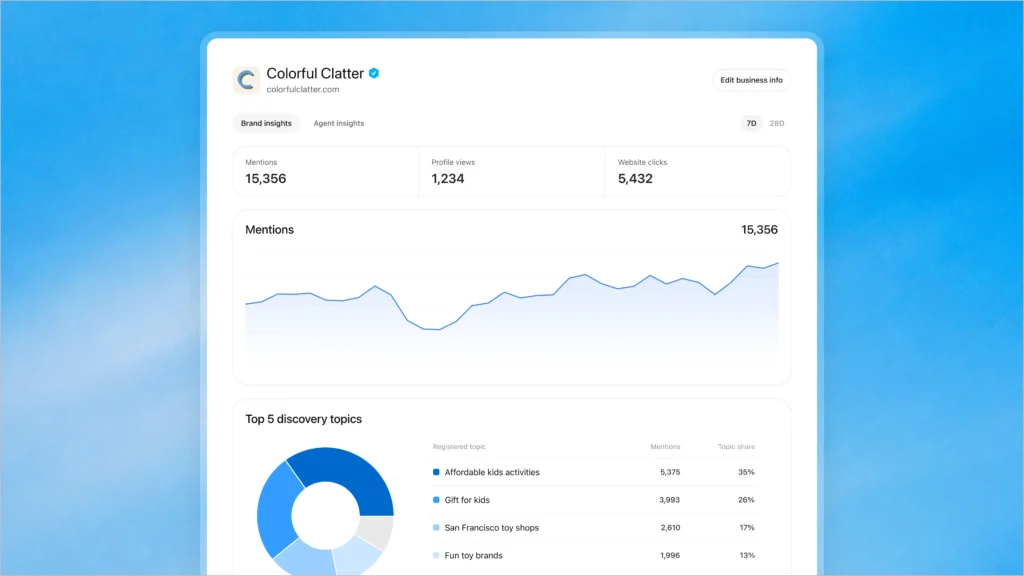
Image source: OpenAI
Being able to get mention and click data directly from ChatGPT will be great in helping you understand the true impact AI is having on your business. You can couple this with tools like BrightLocal’s Local AI Visibility Tracker to get a full picture of how you’re being mentioned and cited vs. your competitors.
Is your business being recommended by AI?
Who is it for, and are there any limitations currently?
In OpenAI’s own words:
“If you run an eligible online business, you may see an option to add it. Local stores and restaurants can currently claim only an existing U.S. listing.”
This means that anyone offering online services can claim, wherever ChatGPT is available, but for most local businesses, you have to be in the US, for now.
There aren’t currently any details about service-area businesses, but it looks like this is ‘coming soon’.
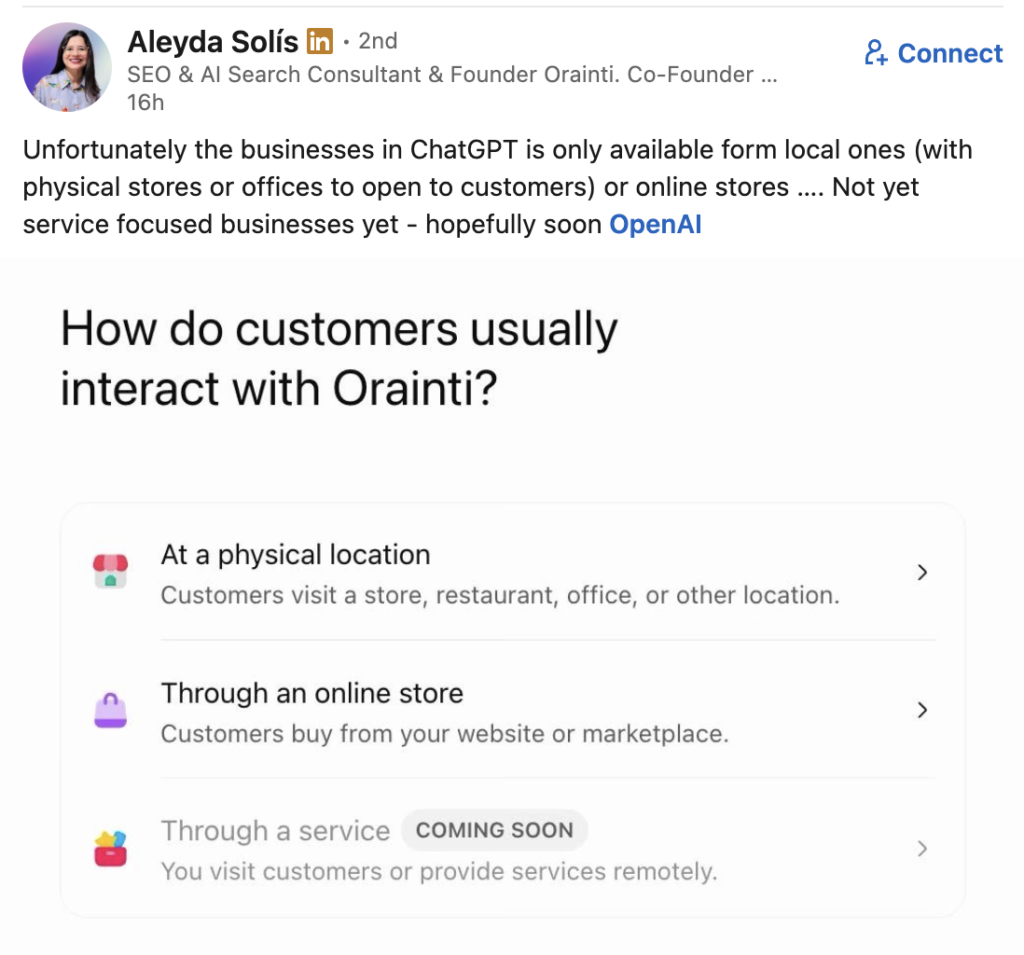
Source: Aleyda Solis
You’ll also have to verify that you have permission to claim this business.
How to claim your business on ChatGPT’s Business Hub
First, you need to claim your business and go through a verification process (via SMS, email, or website domain). Once you have claimed it, you’ll need to complete an additional identity Persona verification to make any changes to your profile.
The process for claiming your business on ChatGPT is as follows:
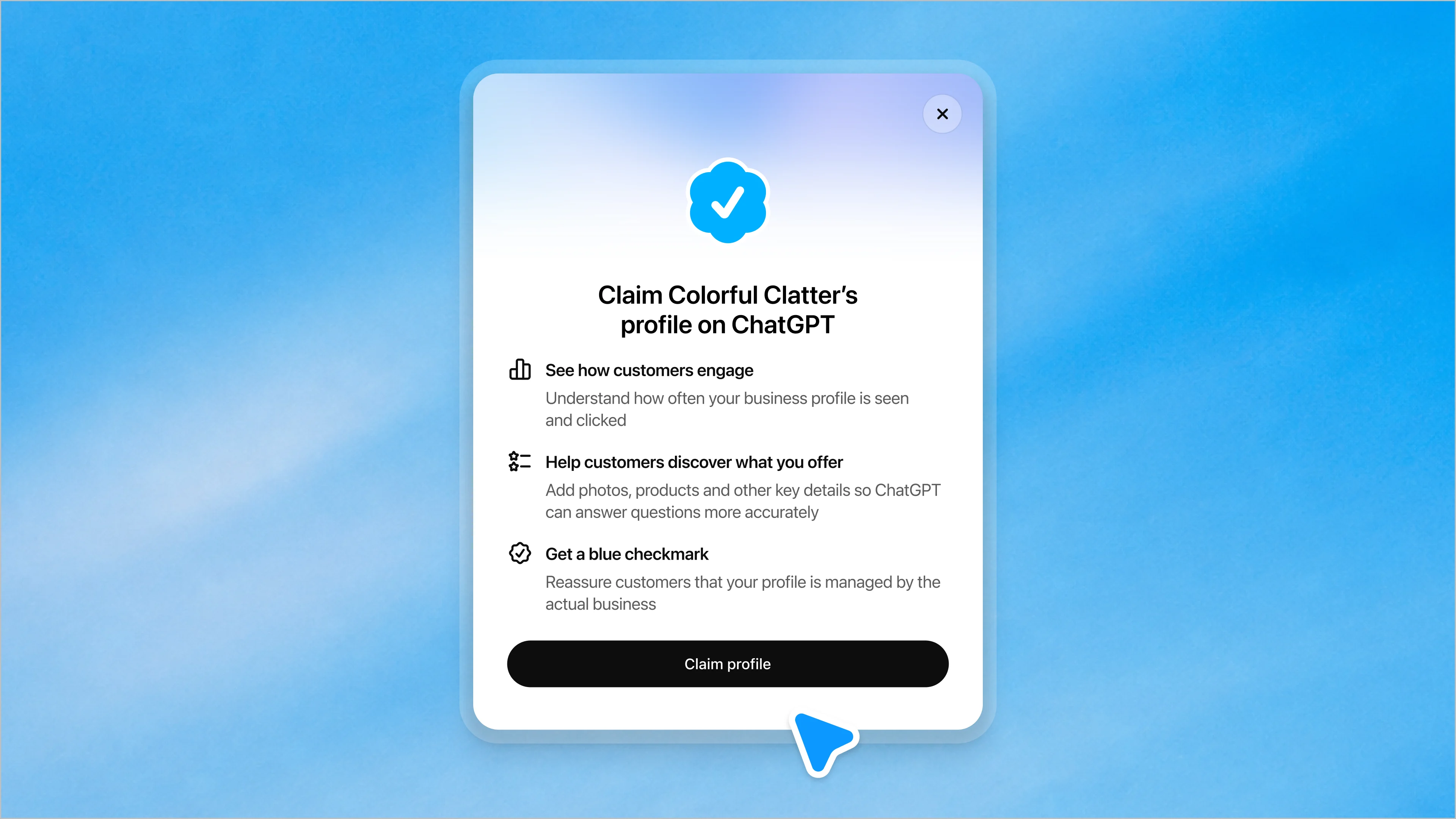
Image source: OpenAI
- Sign in to your ChatGPT account and browse to https://chatgpt.com/business-hub
- Search for your business and see if it comes up (if it doesn’t, you likely aren’t eligible yet).
- Verify your claim via SMS, email, or website domain. This will be a code it sends you.
- Wait for claim approval. If someone has tried claiming your business first, you can dispute ownership.
- Verify your identity with Persona, which may require a government ID and business registration information.
Once you have verified your identity, you’ll be able to make actual changes to your ChatGPT business profile.
For full information on claiming your business, you can see ChatGPT’s help documentation here.
What does this mean for BrightLocal?
"This can only be good news for us and our customers"
Myles Anderson, Co-founder and CEO at BrightLocal
This is good news for our customers and for us. We already make it simple for businesses to manage their information on Google, Apple, Facebook, and the other platforms that matter most. AI tools are a powerful route to reach local consumers, and we will enable business owners to keep their information consistent everywhere it matters, through the BrightLocal platform and our APIs. Pair that with our new Local AI Visibility Tracker and you get both sides of the picture: what ChatGPT says about you, and what it sends you.