








If you manage local SEO for multiple clients, finding the right software can feel like a full-time job. Whether you want to save precious time, streamline client updates, or scale your agency with confidence, having the right tools makes all the difference.
In this guide, we break down nine of the best local SEO platforms for agencies. We focus on the features that matter most to busy teams—like clean multi-client dashboards, custom white-label reports, automated workflows, and lead-gen tools that help you grow.
Our methodology
To help you choose the best fit for your workflow, we evaluated nine leading platforms (including our own). We looked at essential agency features, like custom branding, flexible client permission controls, automated lead capture, and per-location pricing options. Here are the tools we compared:
- BrightLocal
- Semrush Local
- Local Falcon
- Whitespark
- SE Ranking
- Localo
- Moz Local
- AgencyAnalytics
- Local Viking
Our evaluation involved a deep dive into each platform’s website, official pricing tiers, core feature set, and real user feedback on trusted review platforms. All details are accurate as of November 2026.
You might notice Yext isn’t on this list. We intentionally focused on software designed specifically for agile, hands-on agencies rather than enterprise-level corporate brands.
What do agencies need from local SEO software?
Managing local search visibility across dozens of client locations is a completely different ballgame than handling a single business. Manual local SEO tasks can quickly swallow up your team’s working hours. Specialist agency software gives you the smart automations, bulk actions, and unified controls you need to deliver consistent results efficiently—without burning out your team.
The top tools built for local SEO agencies go beyond basic rank tracking. They offer agency-first features like single-sign-on client management, custom white-label reporting to showcase clear ROI, and built-in prospecting tools to help you upsell your services and land new clients seamlessly.
Here is a quick checklist of the key features to look for when choosing software to support your agency’s growth:
- Multi-client dashboards: Keep all your client accounts organized neatly under one roof.
- Location-scaling pricing: Pay transparently per location so your software costs align naturally with client growth.
- White-label reports: Deliver polished, automated performance reports carrying your agency’s unique branding.
- MCP support: Connect local search data directly into your custom AI workflows and favorite automation tools.
- Client logins: Give clients secure, self-service portals to check their performance progress anytime.
- Bulk actions: Save hours of manual updates across multiple profiles with quick batch actions.
- Client-friendly visual reporting: Translate complex search metrics into clear visual stories that prove ROI effortlessly. Tools like Local Search Grid are great for this.
- Citations and listings: Build, update, and protect listing accuracy across major directories at scale.
- AI visibility tracking: Track your client’s brand presence across AI tools like ChatGPT, Gemini, and Perplexity.
- Prospecting and pitching: Run instant audit reports and grid scans to pitch prospects and close deals faster.
Top local SEO software for agencies: features and price comparison table
| BrightLocal | Semrush Local | Local Falcon | Whitespark | SE Ranking | Localo | Moz Local | AgencyAnalytics | Local Viking | |
|---|---|---|---|---|---|---|---|---|---|
| Starting price | $41, reducing with more locations | $30.00 | $24.99 | $1 | $129 | $39 | $20 | $20 | $39 |
| Multi-client dashboards | Yes | Yes | Yes | No | Yes | Yes | Yes | Yes | Yes |
| Location-scaling pricing | Yes | Yes | No | Yes | No | No | Yes | No | Yes |
| White-label reports | Yes | No* | Yes | Yes | No* | Yes | No | Yes | Yes |
| MCP support | Yes | No | Yes | No | Yes | No | No | No | No |
| Client logins | Yes | No | No | No | No* | Yes | No | Yes | Yes |
| Bulk actions | Yes | Yes | Yes | No | Yes | Yes | Yes | Yes | Yes |
| Client-friendly reporting | Yes | Yes | Yes | Yes | Yes | Yes | Yes | Yes | Yes |
| Citations and listings | Yes | Yes | No | Yes | Yes | Yes | Yes | No | No |
| AI visibility tracking | Yes | No | Yes | No | Yes | No | No | No** | No |
| Prospecting and pitching | Yes | Yes | Yes | Yes | Yes | Yes | No | No | No |
All prices shown are per month and don’t include the discounts offered for committing to an annual subscription.
* White-label reporting and client access are not included as standard but can be purchased as an add-on.
** Not included in the basic package but can be purchased as an add-on.
BrightLocal
URL: https://www.brightlocal.com
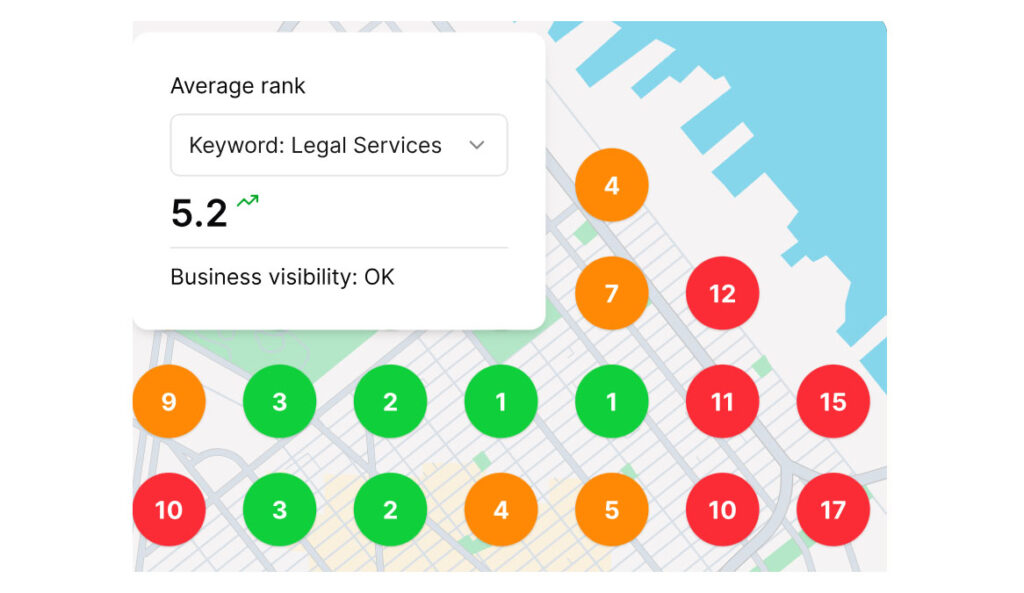
BrightLocal is built from the ground up for agency teams and consultants who need to manage local search at scale. Our unified platform brings your key local SEO tasks into one clean dashboard, helping you cut routine admin time by up to 80% so you can focus on driving strategy and growth.
From local rank tracking and geo-grid visualization to citation building, Google Business Profile management, and AI visibility monitoring, BrightLocal gives your agency everything it needs to deliver exceptional client results.
What notable features does BrightLocal have?
- Fully branded white-label reports: Customize reports to match your agency branding and your client’s preferences. Easily export data directly into your CRM, Looker Studio, or custom analytics dashboards for seamless client reporting.
- Custom client portal access: Give clients 24/7 access to their real-time rankings and citation updates through branded, self-service portals with tailored view permissions.
- Time-saving bulk actions: Update listings, trigger audits, and manage rank tracking across multiple client locations in just a few clicks.
- Seamless MCP integrations: Connect BrightLocal data directly to your AI agents and automated tools using our MCP.
- Local AI Visibility tracker: Monitor exact location-level rankings in ChatGPT, Google AI Overviews, and AI Mode. This hyper-local detail helps you show prospects where competitors are winning and gives you clear action items to boost local reach.
- Bulk agency pricing: Save on Citation Builder credits with bulk discounts designed to keep agency margins healthy as client portfolios expand.
- Review management: Monitor, generate, and respond to customer reviews across multiple sites from a centralized location to boost local reputation and engagement.
- AI-powered agency recommendations: BrightLocal’s Local AI Visibility Tracker automatically analyzes client performance data to surface clear growth opportunities, making campaign strategy planning quick and simple.
- Client prospecting: Leverage the Local Search Grid, Local SERP Checker free tool, BrightLocal auditing tools, and AI insights and actions to identify high-potential leads, uncover local performance gaps, and pitch data-backed solutions to prospects.
“The Local Search Grid has become one of our agency’s prime metrics to track… nothing makes our clients feel more happy than seeing more and more green dots appear on their Local Search Grid.”
– Wes Foster, Founder, WESFED
How much does BrightLocal cost?
BrightLocal offers three pricing plans, each designed to scale with your agency. The more locations you manage, the cheaper it is per location. The below is based on paying monthly, with discounts paid annually.
| Locations | Track | Manage | Grow |
|---|---|---|---|
| 1 | $41 | $54 | $65 |
| 2-5 | $62 | $76 | $87 |
| 6-10 | $83 | $109 | $131 |
| 11-20 | $104 | $153 | $197 |
| 21-30 | $156 | $230 | $296 |
| 31-40 | $209 | $307 | $395 |
| 41-50 | $261 | $384 | $494 |
| 51-60 | $314 | $461 | $593 |
| 61-70 | $366 | $538 | $692 |
| 71-80 | $419 | $615 | $791 |
| 81-90 | $471 | $692 | $890 |
| 91-100 | $524 | $769 | $989 |
- Track: Designed for rank tracking, local SEO auditing, citation monitoring, and AI visibility tracking across platforms like ChatGPT, Google AI Overviews, and AI Mode, without automated listings sync.
- Manage: Includes everything in Track, plus Active Sync listings management, GBP Post Scheduler, and review management features to keep business profiles accurate and updated.
- Grow: Includes all features from Track and Manage, expanding capabilities with advanced review generation tools, agency white-labeling, client access portals, and lead generation tools for scaling agencies.
Is a free trial available?
Absolutely! You can get started with a free 14-day trial to explore the full feature set, no strings attached.
Third-party reviews of the complete BrightLocal Platform
- G2: 4.6/5 (230 reviews)
- Capterra: 4.8/5 (283 reviews)
- Trustpilot: 4.0/5 (770 reviews)
- TrustRadius: 7.2/10 (41 reviews)
- GetApp: 4.8/5 (283 reviews)
In summary
BrightLocal is a user-friendly choice for agencies wanting to manage multi-client campaigns efficiently. It comes packed with agency-first features like branded reporting, self-service client portals, bulk management, citation building, prospecting tools, and AI visibility tracking, backed by seamless MCP integration. Because our tools are bundled together into simple plans, it might not suit agencies looking to purchase only a single standalone module. Its prices are also designed to scale with agencies, making it much cheaper than some competitors if you’re paying per location.
Semrush Local
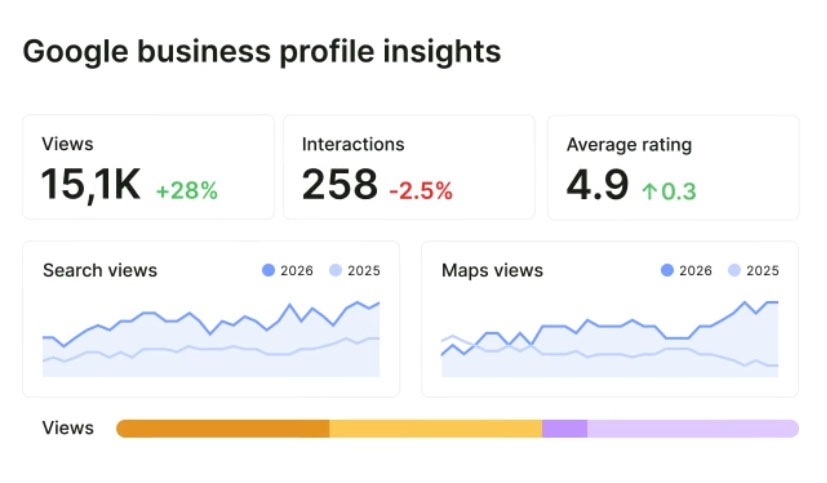
Semrush is well known for its comprehensive digital marketing suite. Its dedicated Local toolkit gives agencies helpful tools to research, manage, and track local search performance for clients.
What notable features does Semrush Local have?
- Competitor analysis for client prospecting: Easily show prospects why they’re falling behind rival businesses, and how you can help them make up lost ground. Use the same insight to optimize client campaigns.
- Automated Google Business Profile updates: AI-powered posts and photo uploads keep your client profiles active with minimal manual intervention.
- Central dashboard: Manage key local SEO actions for multiple clients from one dashboard to free up your team’s time and reduce admin.
How much does Semrush Local cost?
Semrush’s toolkits are individually priced, so a Semrush Local subscription doesn’t include access to other tools. The Base plan is limited and only provides access to automated Google Business Profile management and Maps rank tracking. It doesn’t include listing management and excludes advanced Google Business Profile management activities such as posting and scheduling.
White-label reporting must be purchased as an add-on to your chosen plan and costs $20 per month.
- Base: $30 per month per location
- Pro: $60 per month per location
- Business: Price not publicly available
Is a free trial available?
Yes, Semrush offers a free seven-day trial across many of its toolkits, including the Local Toolkit.
Third-party reviews of the complete Semrush platform
- G2: 4.4/5 (4,299 reviews)
- Capterra: 4.6/5 (2,330 reviews)
- Trustpilot: 1.6/5 (1,425 reviews)
- TrustRadius: 8.5/10 (791 reviews)
- GetApp: 4.6/5 (2,300 reviews)
In summary
Semrush Local offers great automated posting features, competitor insights, listing management, and central account management that help busy teams stay efficient. Keep in mind that white-label reporting requires an extra monthly add-on fee, client portal logins are not included, and it currently lacks MCP integration and location-level AI visibility tracking.
Learn more: BrightLocal vs Semrush
Local Falcon
URL: https://www.localfalcon.com
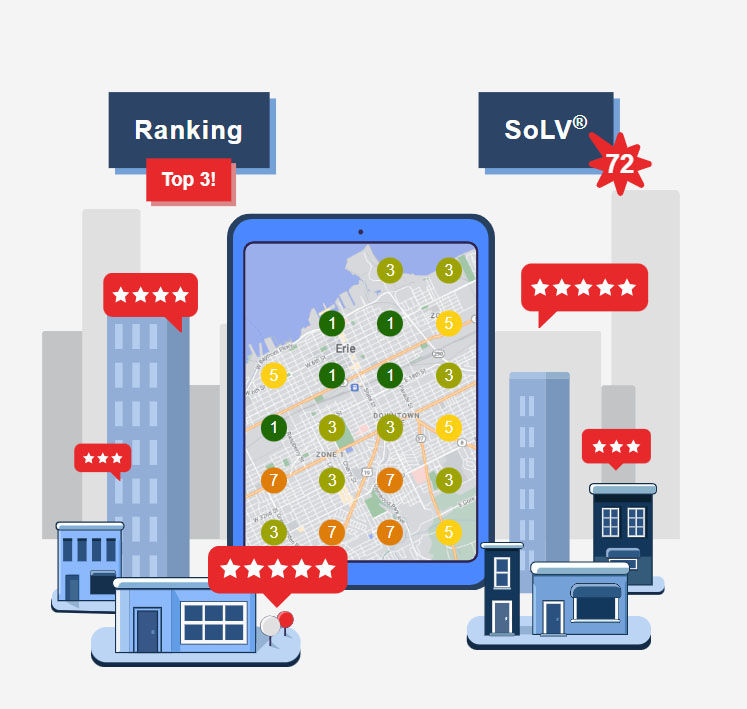
Local Falcon is a popular reporting platform recognized for pioneering Geo Grid rank tracking. It has expanded to offer AI listing management features and flexible integrations.
What notable features does Local Falcon have?
- An AI agent to automate Google Business listing management. Use prebuilt actions such as auditing, replying to reviews, and Post creation to automate recurring to-dos across your client portfolio.
- Embed an AI agent into your workflow: Connect Local Falcon to Claude or ChatGPT using the MCP.
- Automatically monitor for inaccuracies: Falcon Guard scans 20 key fields (including opening hours, contact number, and primary category) for changes. Harmful or inaccurate edits are reversed, then an alert is issued so you can manually check the change.
- Comprehensive campaign reporting: As you’d expect from local SEO reporting software, data is available in abundance. In addition to all the usual suspects – competitor rankings, keyword performance, and rank trackers – you can dig deeper with trend reports and review sentiment analysis. You can feed reporting back to the AI agent to identify next actions.
- White-label reporting: Each report can be white-labeled and automatically emailed to your client after it runs, reducing admin workload.
How much does Local Falcon cost?
Local Falcon has four package tiers available as monthly or annual subscriptions. Usage is based on a grid-and-credit system. Each package includes unlimited keywords and locations.
- Starter: $24.99 per month with 7,500 credits
- Basic: $49.99 per month with 15,150 credits
- Pro: $99.99 per month with 31,250 credits
- Premium: $199.99 per month with 63,150 credits
Is a free trial available?
Yes, there’s a free 100-credit trial. The 100-credit trial is equivalent to 11 3×3 grid scans.
Third-party reviews of Local Falcon
- G2: 4.7/5 (161 reviews)
- Capterra: 5.0/5 (14 reviews)
- Trustpilot: 4.7/5 (72 reviews)
- GetApp: 5.0/5 (14 reviews)
In summary
Local Falcon excels when it comes to visual geo-grid reporting and connecting ranking data to AI models via MCP. Just note that it operates on a credit-scan model rather than flat per-location pricing, and doesn’t include citation submission or client portal access. It’s predominantly a reporting platform.
Learn more: BrightLocal Vs Local Falcon
Whitespark
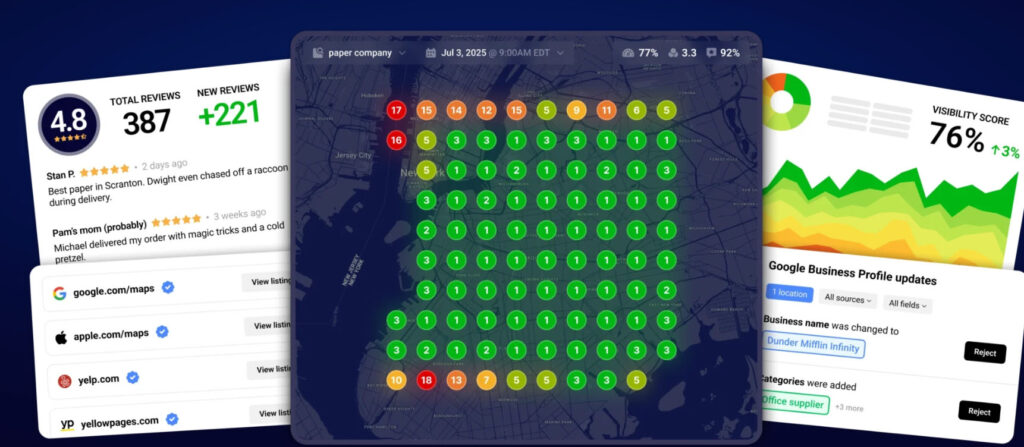
Whitespark offers a set of focused local SEO tools designed for agencies and small businesses. Their annual Local Search Ranking Factors Survey is a trusted resource across the local search community.
What notable features does Whitespark have?
- Citation discovery: Local Citation Finder scans the whole of the internet so you see every citation. Many other tools scour only specific sources, so they don’t provide the full citation picture.
- Competitor citation analysis: Use the same tool to analyze competitor citations and compare the two lists to identify immediate opportunities for client campaigns.
- Advanced geo grid rank tracker: Track local visibility across 225 geographical points, compare two grids side by side, use competitor visualization to see their rankings relative to your clients, and group businesses by client, location, or account manager for easy sharing.
- Geo grid analysis: The geo grid rank tracker’s Analyze tab uses grid history to surface a much deeper understanding of local visibility. Track trends, dig into ranking changes, and monitor competitor review velocity to inform your campaign strategies.
How much does Whitespark cost?
While their headline starting cost is only $1, Whitespark’s tools are then priced individually, so you’ll need multiple subscriptions to build your required stack.
- Local Platform (Google Business Profile management only): $1 per month, per location
- Local Ranking Grids:
- $10 per month with 2,000 scan credits
- $20 per month with 5,000 scan credits
- $50 per month with 15,000 scan credits
- $100 per month with 32,000 scan credits
- $150 with 48,000 scan credits
- $200+ per month with 65,000+ credits
- Local Rank Tracker
- Small business: $17 per month, 100 keywords
- Specialist: $35 per month, 250 keywords
- Agency: $70 per month, 1,000 keywords
- Enterprise: $140 per month, 2,500 keywords
- Local Citation Finder
- Small Business: $39 per month, 5 campaigns, 20 searches per day
- Specialist: $49 per month, 10 campaigns, 30 searches per day
- Agency: $59 per month, 20 campaigns, 40 searches per day
- Enterprise: $149 per month, 100 campaigns, 100 searches per day
- Reputation Builder
- Pro: $79 per month, per location
- Multi-location: Custom pricing
Is a free trial available?
Yes, WhiteSpark offers a free trial of its Local Rank Tracker, Local Ranking Grids, Local Citation Finder, and Reputation Builder tools. There’s no free trial currently available for Local Platform.
Third-party reviews of WhiteSpark
- G2: 4.6/5 (22 reviews)
- Trustpilot: 3.8/5 (4 reviews)
- TrustRadius: Local Rank Tracker: 7.8/10 (7 reviews)
- TrustRadius: Local Citation Finder: 10.10/10 (1 review)
In summary
Whitespark’s modular setup is great if you want to pick and choose specific tools like deep citation finding or geo-grid tracking. However, managing separate tool subscriptions without a single multi-client dashboard or client login portal can add extra steps to your daily routine.
Learn more: BrightLocal Vs Whitespark
SE Ranking
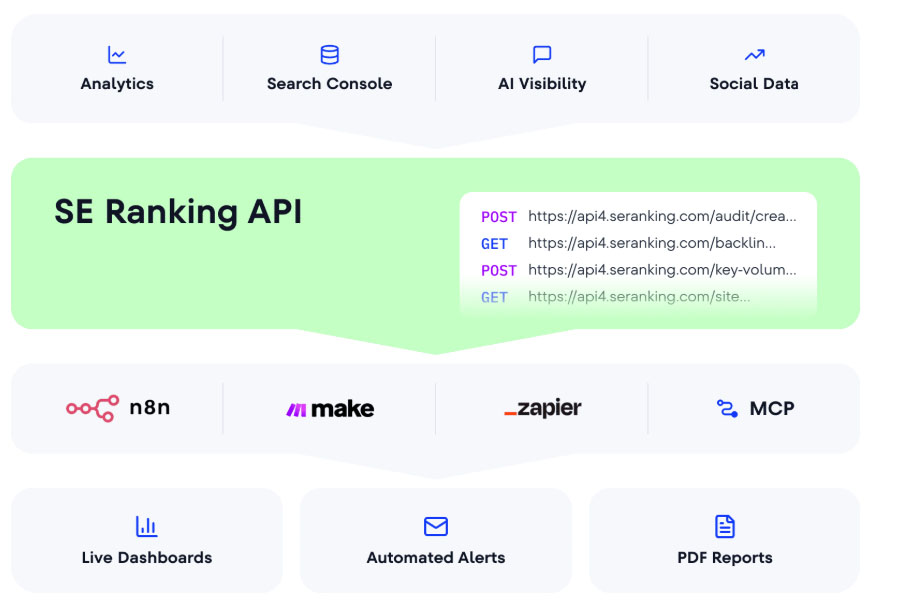
SE Ranking provides a comprehensive SEO platform with over 30 features, covering keyword research, rank tracking, and website audits alongside local search management.
What notable features does SE Ranking have?
- Local rankings and geo grid tracker: Get a complete picture of local search visibility with both a geo grid tracker and traditional rank tracker, then layer on a broader perspective with bulk data analysis.
- Manage multiple locations: Add multiple locations to the Local dashboard, then easily move between clients without logging in and out of multiple accounts.
- Lead generation: The optional Agency pack sits on top of the Local platform. It includes a no-code, on-page widget to collect visitor emails, and a web page SEO audit tool to generate qualified leads.
How much does SE Ranking cost?
SE Ranking offers monthly and annual plans. You must purchase the ‘Agency Pack’ as an add-on to your chosen plan to enable white-label reporting, automated report scheduling, and lead-generating tools. It’s priced at $69 per month, annual billing only. There’s also an API add-on at $29 a month, which you’ll need for automated data collection and reporting.
- Core: $129.00 per month, with 10 projects and one manager seat
- Growth: $279 per month, with 30 projects and three manager seats
Is a free trial available?
Yes, SE Ranking offers a free 14-day trial for new users.
Third-party reviews of SE Ranking
- G2: 4.7/5 (1,619 reviews)
- Capterra: 4.7/5 (298 reviews)
- Trustpilot: 4.2/5 (718 reviews)
- TrustRadius: 9.0/10 (40 reviews)
- GetApp: 4.7/5 (298 reviews)
In summary
SE Ranking combines standard SEO features with solid geo-grid tracking and listing updates. If you want agency essentials like white-label reporting and prospecting widgets, you’ll need to add their annual Agency Pack to your plan.
Localo
URL: https://localo.com
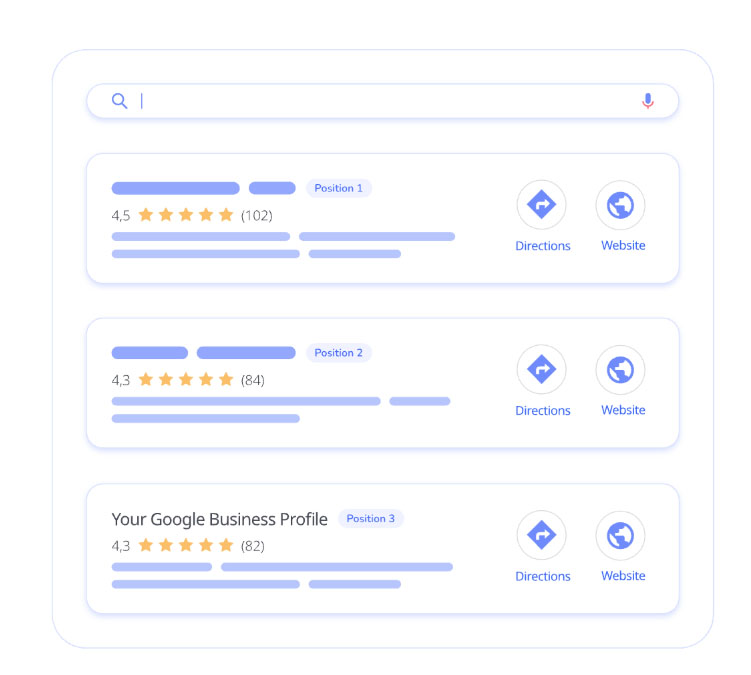
Localo is designed specifically to help agencies manage Google Business Profiles efficiently, offering prioritized audit task lists and simplified updates.
What notable features does Localo have?
- Understand client priorities: The dashboard sorts clients by Audit score, with the worst performers coming up top so you can see at a glance which campaigns need your immediate attention.
- Check visibility from multiple locations: Build a complete picture of client visibility by seeing where they stand from multiple locations, not just where you’re at right now.
- Intuitive Google Business Profile changes: One-click auditing creates a priority list of actions to improve performance. Click on the action to open the associated Localo tool or Google Business setting.
- Automate Google Business Profile competitor insight: Save time on competitor research. Localo automatically tracks competitor Google Profile activity, so you can adjust your strategy, close gaps, and deliver stronger results.
- A visibility scan to nurture prospects and generate leads: The visibility scan shows prospects where they’re missing out and how you’ll fix it, helping convert more potential clients in your pipeline.
How much does Localo cost?
Localo’s pricing plans are based on a monthly or annual fixed fee.
- Core: $39 per month, 1 Google Business Profile
- Pro: $69, up to 10 Google Business Profiles
- Enterprise: price on request, 10+ Google Business Profiles
Is a free trial available?
Yes, Localo offers a 14-day free trial.
Third-party reviews of Localo
- G2: 4.9/5 (153 reviews)
- Capterra: 5.0/5 (25 reviews)
- Trustpilot: 4.6/5 (40 reviews)
- GetApp: 5.0/5 (25 reviews)
In summary
Localo makes managing client profiles easy with clear priority scores, client portals, and pitch-ready visibility scans. Just keep an eye on profile plan limits and scheduled scan frequencies as your client list grows. On the downside, its plan limits can restrict how many profiles you optimize, grid scans run on a fixed schedule rather than on demand, and it lacks both MCP support and AI visibility tracking.
Learn more: BrightLocal Vs Localo
Moz Local
URL: https://moz.com/products/local
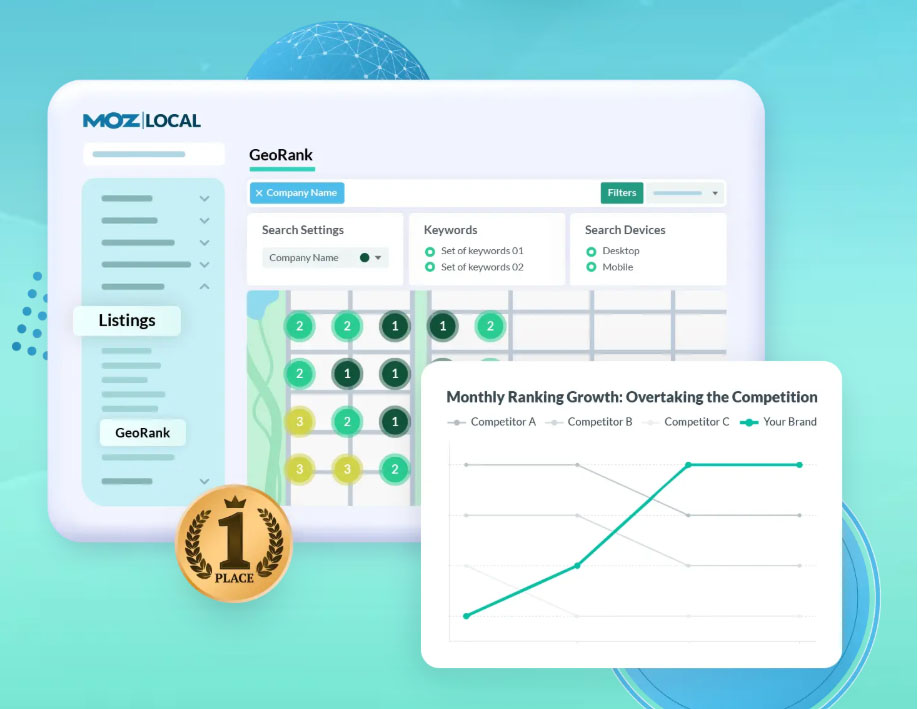
Moz Local provides an intuitive platform that connects listing management, rank tracking, and review updates within a central dashboard.
What notable features does Moz Local have?
- Listings optimization: The AI-powered listings tool relieves your team of manual busywork. It looks for missing or incorrect information and offers a one-click fix.
- AI recommendations: AI recommendations highlight the most impactful improvements, so your team can focus on the changes that boost performance.
- Grid, competitor, and keyword tracking: Comprehensive rank tracking covers grids, competitors, and organic search so you can spot opportunities to elevate client visibility.
- Centralized dashboard: Manage all Moz Local tools and client listings from a central dashboard to reduce friction and save time.
How much does Moz Local cost?
There are four different plans. Not all offer access to all Moz Local features.
- Lite: $20 per month, per location
- Preferred: $30 per month, per location
- Elite: $40 per month, per location
- Enterprise: price on request for 50+ locations
Is a free trial available?
No, Moz Local doesn’t offer a free trial.
Third-party reviews of Moz Local
- G2: 4.3/5 (476 reviews)
- Capterra: 4.4/5 (33 reviews)
- TrustRadius: 8.9/10 (5 reviews)
- GetApp: 4.4/5 (33 reviews)
In summary
Moz Local is a dependable choice for automated listing syncs and straightforward rank tracking. However, agencies will need additional tools for white-label client reports, portal logins, and client prospecting.
Learn more: BrightLocal Vs Moz Local
AgencyAnalytics
URL: https://agencyanalytics.com
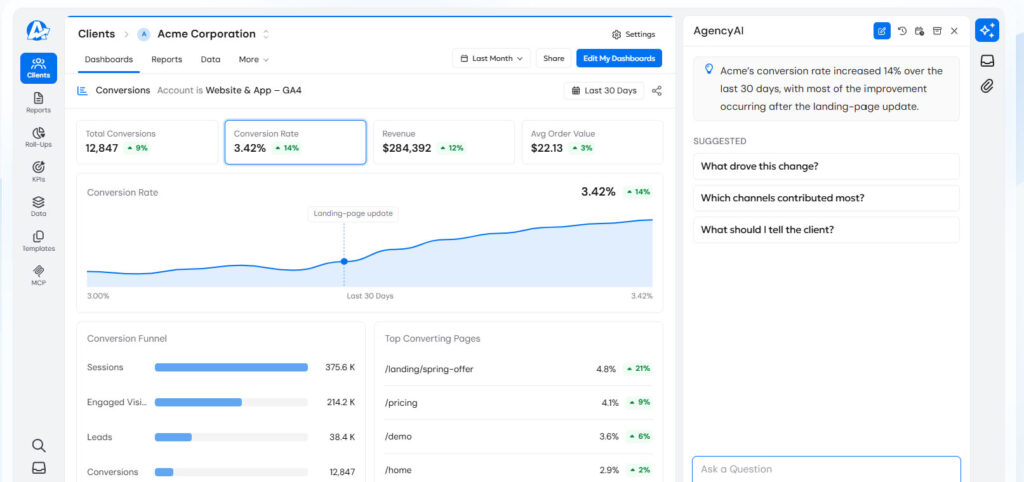
AgencyAnalytics is a specialized client reporting platform built to consolidate digital marketing data from multiple channels into beautiful dashboards.
What notable features does AgencyAnalytics have?
- Automated reporting workflows: Boost efficiency and reclaim team time with automated report scheduling and dashboards. Pull data from over 90 integrations.
- Instant access to performance data: Give your team up-to-date performance insights for faster decisions and campaign optimization.
- Deliver AI-powered insights with client reports: Provide analysis and insight with every client report, powered by AI.
- Client access to performance dashboards: Give clients direct access, so your team has fewer emails to manage.
How much does AgencyAnalytics cost?
There’s a fixed fee per client. AI Tracker and Rank Tracker add-ons are available to build out your stack.
- Core: $20 per month, per client
Is a free trial available?
Yes, there’s a 14-day free trial.
Third-party reviews of AgencyAnalytics
- G2: 4.7/5 (463 reviews)
- Capterra: 4.8/5 (116 reviews)
- Trustpilot: 2.9/5 (24 reviews)
- GetApp: 4.8/5 (116 reviews)
In summary
AgencyAnalytics makes client reporting effortless with stunning automated dashboards and over 90 third-party integrations. Because it focuses on reporting, you’ll want to pair it with dedicated execution tools for citation building and listing management. While exceptional for agency reporting, it lacks direct citation/listing management tools, native AI visibility tracking, MCP support, and prospecting features. It works best alongside an existing execution stack. BrightLocal offers an integration with Agency Analytics.
Local Viking
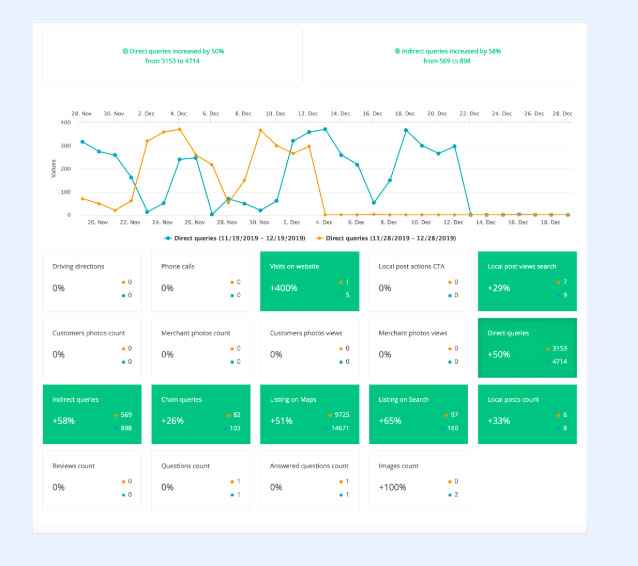
Local Viking focuses specifically on Google Business Profile management and post scheduling for multi-location campaigns.
What notable features does Local Viking have?
- Schedule multiple location Post updates from one dashboard: Claim back your team’s time with bulk scheduling, automated posting across all your client listings, and post syndication.
- Detailed location rankings: Set your report schedule to track keyword rankings across Maps, organic search, and AI.
- Get an accurate visibility view: Check where client listings appear using both mobile and desktop views or using location-specific criteria.
- Included white-label reporting: Schedule white-label reports for your preferred reporting cadence. Deliver to clients as an email summary and downloadable PDF report.
How much does Local Viking cost?
There are several package options to choose from, each with differing location allowances and different credit volumes for keyword and grid searches.
- Single: $39 per month, one Google Business Profile
- Starter: $59 per month, 10 Google Business Profiles
- Pro: $99 per month, 20 Google Business Profiles
- Agency: $149 per month, 40 Google Business Profiles
- Enterprise: $200 per month, 70 Google Business Profiles
Is a free trial available?
No, Local Viking doesn’t offer a free trial.
Third-party reviews of Local Viking
We couldn’t find any third-party reviews of Local Viking.
In summary
Local Viking is great for putting Google Business posts and basic rank monitoring on autopilot across multiple locations. However, it doesn’t include citation building services, MCP integrations, or prospecting tools. However, its specialized focus means it lacks citation building, MCP support, location-level AI visibility tracking, and prospecting or pitching tools.
Choosing an all-in-one platform vs. a modular tool stack for your agency
Choosing between a complete, all-in-one platform or a custom modular toolset comes down to how your agency operates. Building your own stack lets you pick specific tools, but managing separate logins and bills can add extra work. An all-in-one platform keeps everything simple and streamlined in one shared space.
Building your own stack of tools lets you layer capabilities and choose exactly what you need. However, that also means you’ll have multiple dashboards and subscriptions to manage.
A single platform is easier to manage and may cost less monthly or annually, but it could mean paying for features you don’t need while missing some you do.
How to choose the right tool for your agency
Finding the right software fit depends on where your agency is today and where you’re heading tomorrow:
Solo consultants: Look for user-friendly automation and unified dashboards that give you hours back in your week without forcing you to pay for unused team seats.
Growing small agencies: Prioritize white-label reporting and clear per-location pricing so your software costs scale comfortably as you add new clients.
Full-service agencies expanding into local SEO: Choose platforms with flexible integrations and MCP support to connect local search data smoothly into your existing reporting stack.
FAQs
What’s the best SEO tool for agencies?
There’s no right answer to this question. The best local SEO tool for your agency depends on your team size, how many clients you have, what you struggle with, where your capability gaps are, what your services and price plans are, and what you want to get from your toolset.
How much does local SEO software cost for agencies?
As we’ve seen, pricing and pricing models can vary enormously from tool to tool. There’s also a lot of differentiation between tiers within single platforms and toolsets, which affects what you get for your money. Add-ons for key features such as white-label reporting or additional scan credits add another layer of pricing complexity. Most software tools offer discounts for agencies on annual plans, but a monthly commitment gives you more flexibility and lets you scale up or down as needed if your client numbers fluctuate.
Do I need white-label reporting?

Yes, white-label reporting is essential for agencies and consultants. You could get by without white-label reporting, but it would require hours of copying and pasting and manually dropping screenshots into emails or slide decks to send to clients.
If you’re going to pay for the best local SEO software for agencies, it should include the features you need to work efficiently and streamline client communications. That means white-label reporting as a minimum. Bonus points if it also includes a client dashboard for self-service reporting.
Conclusion
The right local SEO software should make your day easier, strengthen client trust, and give your team room to grow. We hope this comparison helps you find the perfect partner for your agency’s journey!
If you’d like to see how BrightLocal reduces pressure on your team and frees up capacity to scale your business, start a 14-day free trial today.